What is the best way to search for items/auctions?
There are three ways that you can modify your search to find the auction or item you are looking for.
1. All Auctions Search
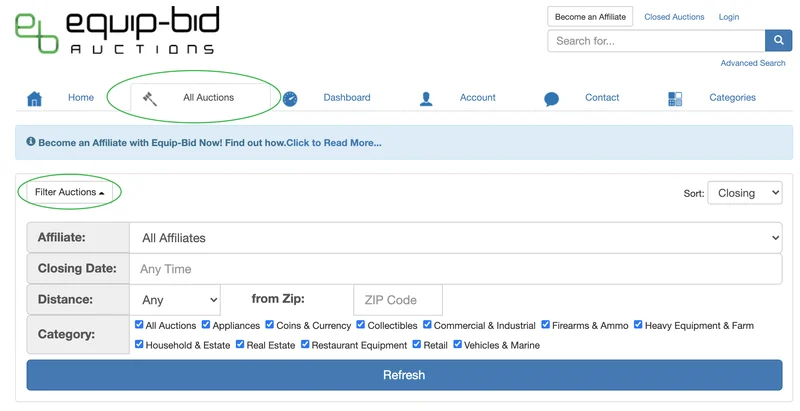
- The "All Auctions" tab is where you will be able to find the entire auction calendar.
- Click on the "Filter Auctions" button at the top of the auction listings to open a drop-down of filter options. Here you are able to filter by a seller, closing date, distance, and auction category.
2. Advanced Search
The advanced search and item search function will allow you to narrow down your search to exactly what you are looking for.
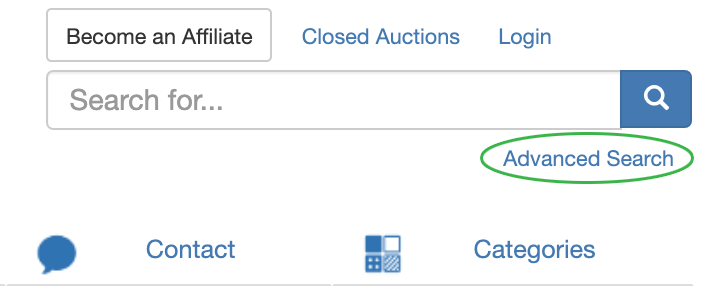
A "Search All Auctions" box will open on the left-hand side. The form can be used to search for specific items that are up for auction. You can search by keywords using a search phrase, or limit the results to items within a certain distance of your location, under a certain bid amount, or of a given status.
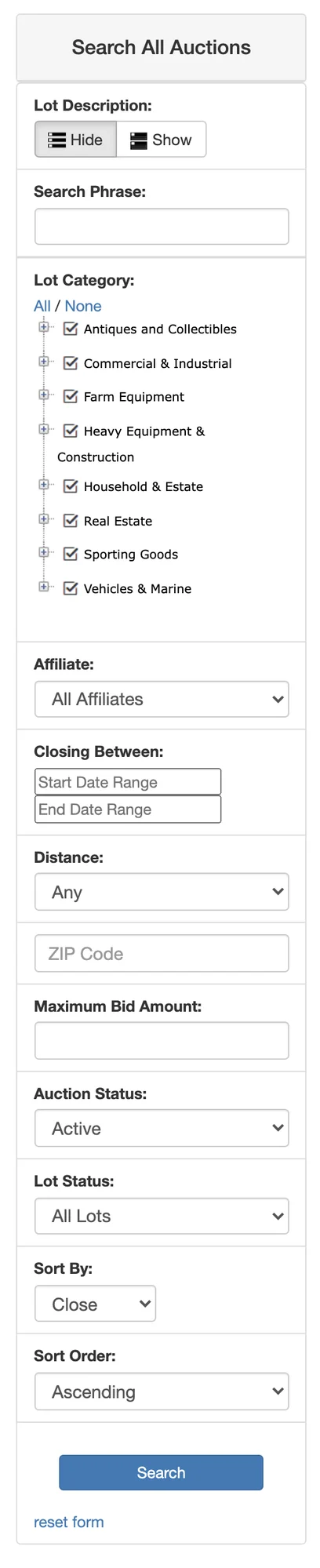
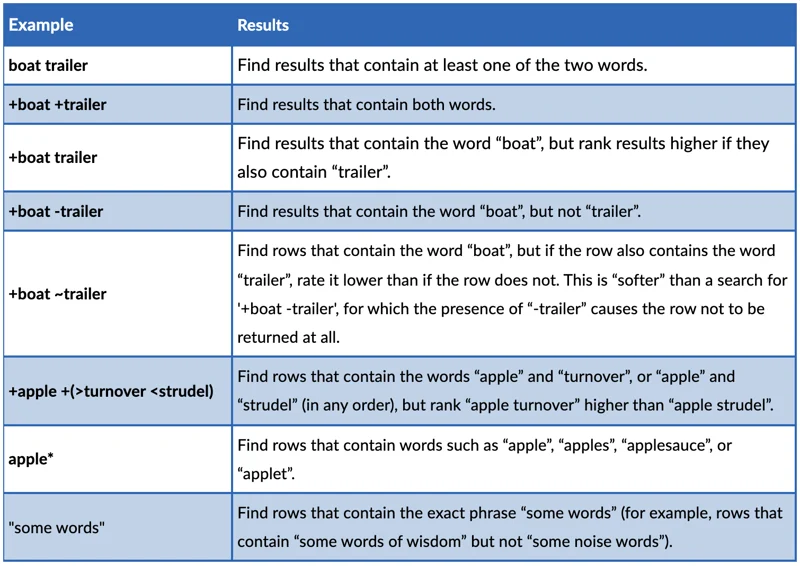
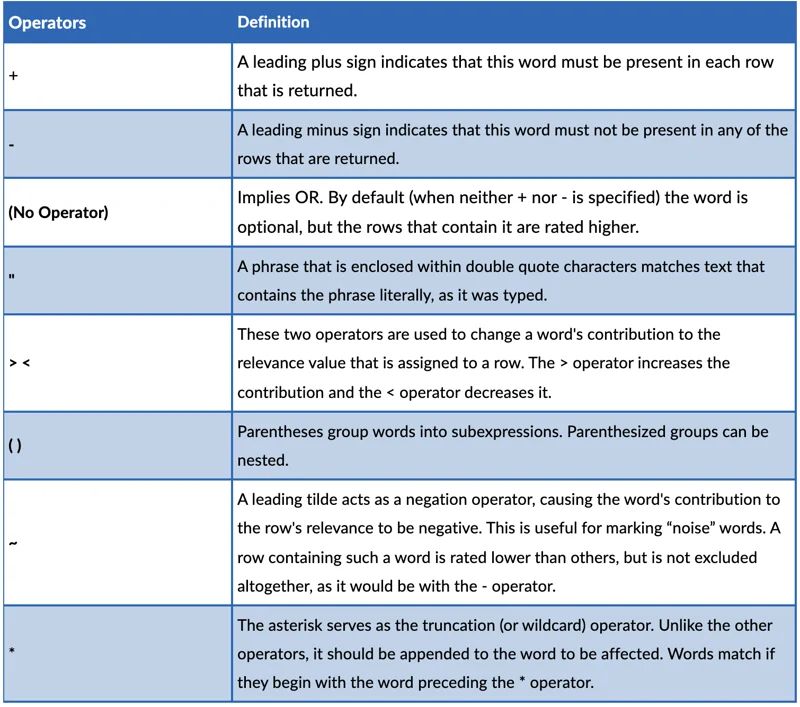
Advanced Search Phrase Usage:
In addition to searching for keywords or a search phrase, you can also perform more complex text searches using certain characters that have special meaning and act as modifiers when placed at the beginning of words.
3. Category Searches
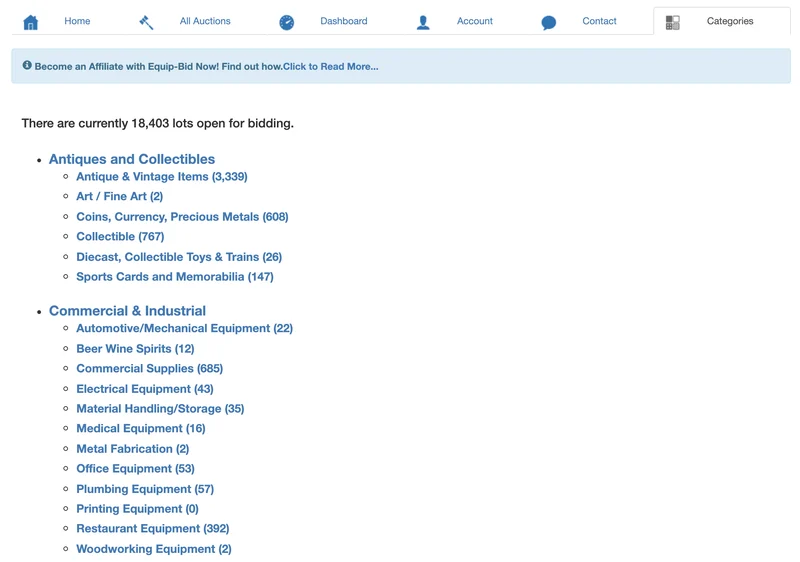
- Items will be categorized to make them easily searchable.
- Categories will be listed from A-Z and show you how many items are within each category.
- When selecting a category search, you will be taken to the search results page which will allow you to further refine your search.